![buildwitt-logo-light.svg]](https://info.buildwitt.com/hubfs/2022%20-%20BuildWitt/buildwitt-logo-light.svg)
- As an Account Admin, log in to train.buildwitt.com
- Select the Admin tab at the top of the page.
- Within admin select employees
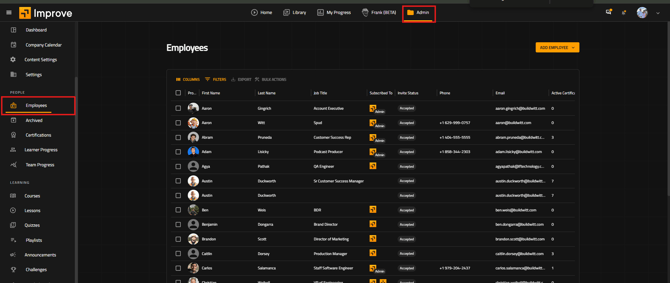
- Select an employee and navigate to the employment information tab.
- Within that tab select the supervisor box and scroll through until you locate their supervisor.
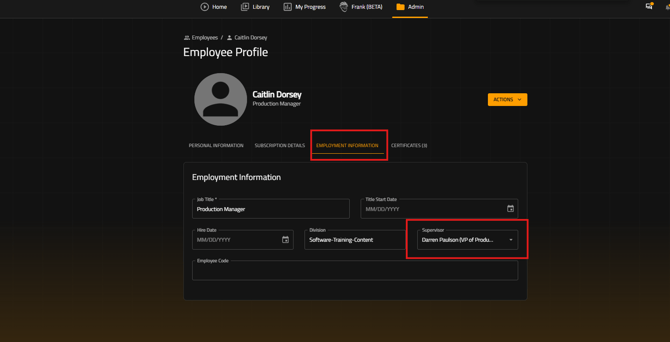
- Select their supervisor from the drop down list and now you have created an additional category for filters or reports.
Once someone has been designated as a supervisor they will now have access to the group watch feature allowing them to present lessons in a group setting. Additionally reports can now be pulled based off each supervisor and who reports to them.