![buildwitt-logo-light.svg]](https://info.buildwitt.com/hubfs/2022%20-%20BuildWitt/buildwitt-logo-light.svg)
Notifications can appear in two places:
- Push notifications: Sent to your mobile device through the Improve app
- In-app notifications: Shown inside Improve on both web and mobile
If you use the Improve mobile app and have notifications enabled, you may receive push notifications for:
- Daily learning: A notification when a new lesson is available for you - delivered at 6:00 AM local time.
- New assignments: A notification when an admin enrolls you in a lesson, course, or playlist
- Announcements: A notification when a new announcement is delivered to you
Make sure push notifications are enabled
To receive push notifications, you'll need to allow notifications for the BuildWitt Improve app in your device settings.
If notifications are enabled on your device but you're still not receiving them, make sure you're using the latest version of the Improve mobile app.
In-App NotificationsImprove also shows notifications directly inside the app, whether you're using web or mobile.
Look for the notification bell in the top-right corner to view your notifications.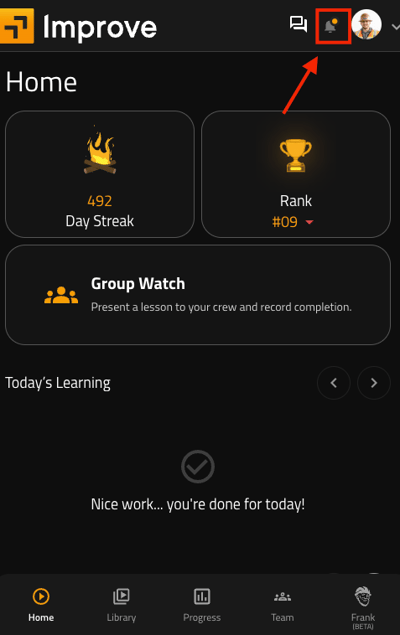
In-app notifications will include updates such as:
- New assignments
- New and historical announcements