![buildwitt-logo-light.svg]](https://info.buildwitt.com/hubfs/2022%20-%20BuildWitt/buildwitt-logo-light.svg)
Training User
No account administrator role. No subscription administrator role.
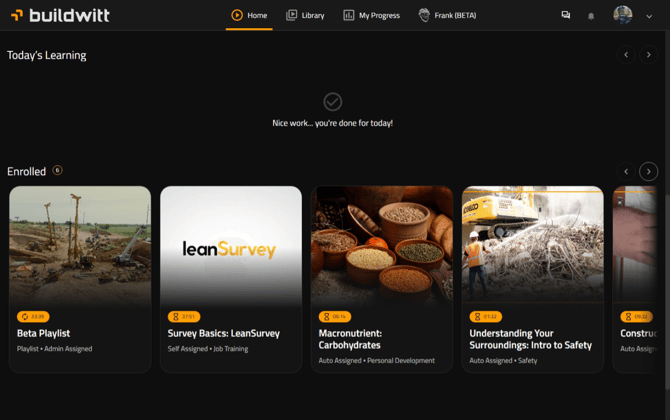
Built for learners. Training Users can take courses, track their own progress, and keep their own contact details up to date, but they can't see anyone else's information or open the Admin tab.
- Includes: Home, Library, My Progress, Frank, and Chat. Self-enrollment in courses and lessons. Personal employment info and certifications. Edit your own email and phone number. Group Watch, if you're the other user's supervisor.
- Doesn't include: Other employees' information, employee record management, company account edits, or training admin.
The Admin tab is not available at this permission level.
Account Administrator
Account administrator role. No subscription administrator role.
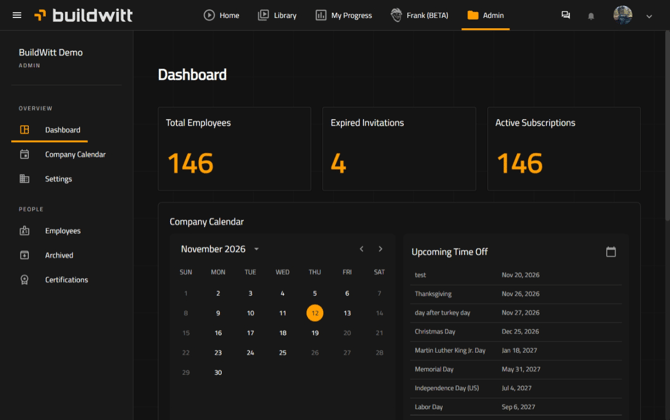
Runs the company side of the account: people, settings, and certifications. It has no access to learning content or reporting.
- Includes: Company-level information, Company calendar and time off, Company name, logo, and settings. Creating and editing employee records and roles. Sending, scheduling, and managing invitations. Archiving and restoring users. Assigning and creating certifications.
- Doesn't include: BuildWitt learning admin tools, managing courses, lessons, enrollments, or content, or learner and team progress reporting.
Admin tab access requires a desktop or laptop. It is not available on mobile.
Buildwitt Administrator
Standard account role. Subscription administrator role.
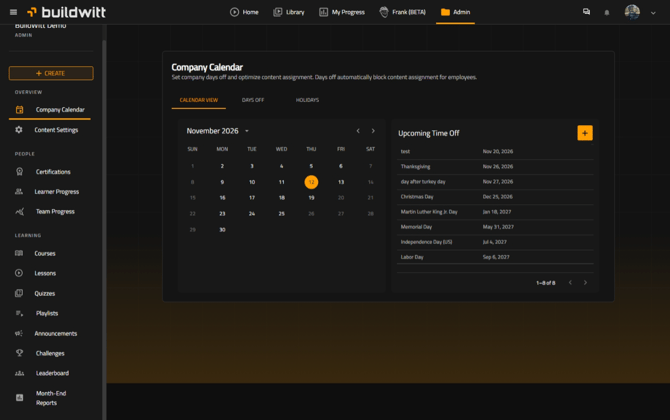
Runs the learning side: content, enrollments, and reporting. It has no access to employee records.
- Includes: Admin tab. Learner and team progress. Managing and creating courses, lessons, quizzes, playlists, announcements, challenges, and content settings. Enrolling users in courses, lessons, or playlists. Month-end and learning reports. Organization-wide learning activity.
- Doesn't include: Adding or editing employee records, managing account-level employee information, or changing another user's account administrator permissions.
Admin tab access requires a desktop or laptop. It is not available on mobile.
Full Access Administrator
Account administrator role + subscription administrator role.
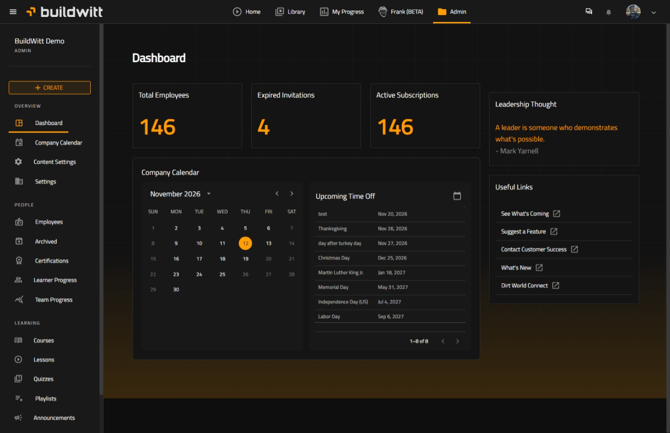
Combines Account Administrator and BuildWitt Administrator for full control of both account and learning administration.
- Includes: Everything in both roles above, plus all progress, reporting, leaderboards, and challenges.
- To assign: Set the account role to Account Administrator and the subscription role to Administrator. Both are required. One alone gives only partial access.
Admin tab access requires a desktop or laptop. It is not available on mobile.
Overview
| Permission Level | Admin Tab | Manage Employees | Manage Learning | Full Access |
|---|---|---|---|---|
| Training User | No | No | No | No |
| Account Administrator | Yes | Yes | No | No |
| Buildwitt Training Administrator | Yes | No | Yes | No |
| Account Administrator + Buildwitt Adminstrator | Yes | Yes | Yes | Yes |
Users can review their current role by selecting their profile avatar and opening Account. The account page displays both the BuildWitt account role and subscription administrator status.